Prop-firm evaluation + funded accounts
TradeLocker to MT4 Trade Copier
Copy TradeLocker trades onto MT4 accounts. The MT4 follower is always hedging.
- No VPS, no EA
- Runs 24/7 in the cloud
- Typically 0-5 ms engine latency
- Run and stop it from your phone
Free trial on cTrader and TradeLocker · 1 week · up to 3 accounts · no card
The week starts when your first account connects.
How do I copy TradeLocker trades to an MT4 account?
Add both accounts, make the TradeLocker account the source account and the MT4 account the follower account, then press Run on the repeater.
Pending orders wait for the fill.A limit or stop order resting on the TradeLocker source places nothing on the MT4 follower; when it fills, the copy goes out as a market order.
MT4 followers are always hedging.Each copy opens as its own position and closes with the source position it came from.
Names mapped once.The suggestion comes from the MT4 account's own symbol list, read when you add it.
Stop loss and take profit stay on the source.A copy opens with neither, and when the source closes, by hand or at its own stop, the MT4 copy closes with it.
More about the TradeLocker to MT4 Trade Copier
A TradeLocker source account can drive MT4 followers. Trepeat is told about each trade on the TradeLocker account over a live stream, and every position it sees open or close is repeated onto the MT4 followers, each sized by the repeater's rule. The MT4 side is the settled half of the pair: an MT4 account is always hedging, so every copy opens as its own position and closes with the source position it came from. Made for prop-firm evaluation and funded accounts: Trepeat currently connects the TradeLocker demo accounts they run on, where the firm issues yours as one. Live real-capital accounts aren't supported.
- TradeLocker trades seen as they happen
- TradeLocker pushes each source trade to Trepeat over a live stream, so a copy does not wait for a timer, and the delay is typically under a tenth of a second. Trepeat's engine latency is typically 0-5 ms, and each follower's broker then sets its own execution time and price on top of both.
- An MT4 follower is always hedging
- Every MT4 account behaves as hedging, so each copy opens as its own position and closes with the source position it came from. There is no account mode to check on the follower side.
- Names differ between the two brokers
- A TradeLocker broker may add an ending to an instrument's name and an MT4 broker may add a different one, so the same instrument can be a different string on each side. Map it once per repeater. The suggestion comes from the MT4 account's own symbol list, which is read when you add it.
- Sign in with your TradeLocker login
- Add a TradeLocker account from Accounts with the server name shown on TradeLocker's login page, your email and your password. Trepeat connects with them and lists the trading accounts that login covers, and you choose which to add.
- Built for evaluation + funded accounts
- Prop-firm evaluation and funded accounts usually run on demo accounts (MetaTrader demo servers, or a cTrader or TradeLocker demo account where the firm issues one), which is exactly what Trepeat currently connects. Run your evaluations and funded accounts side by side, each repeater with its own sizing and symbol rules. A challenge placed on a live account can't be connected either way. We don't share data with prop firms or read their evaluation rules.
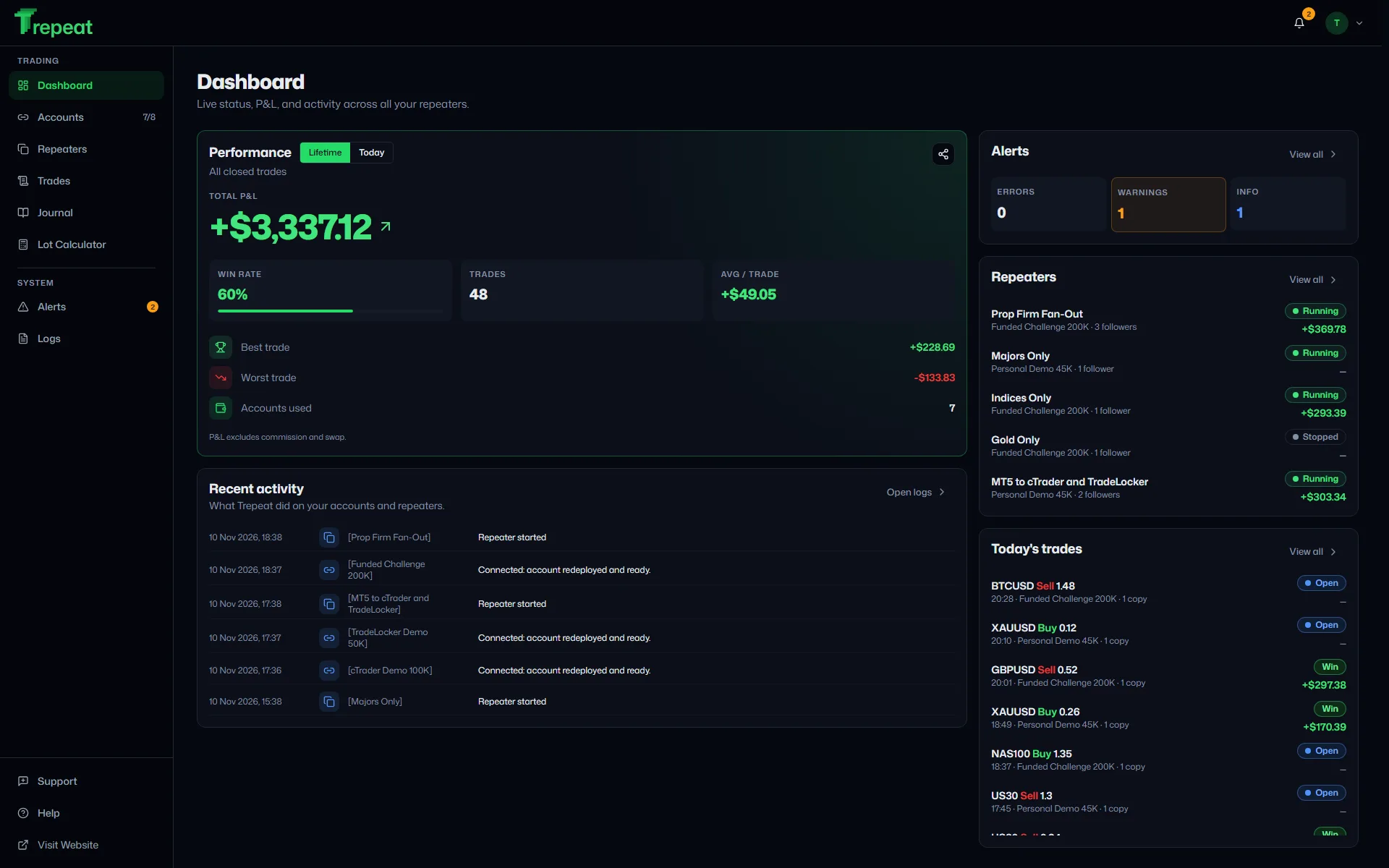
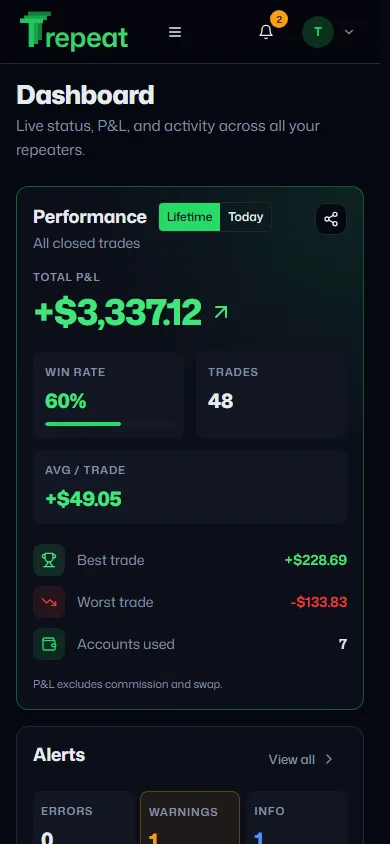
Dashboard: Live status, P&L, and per-account performance at a glance.
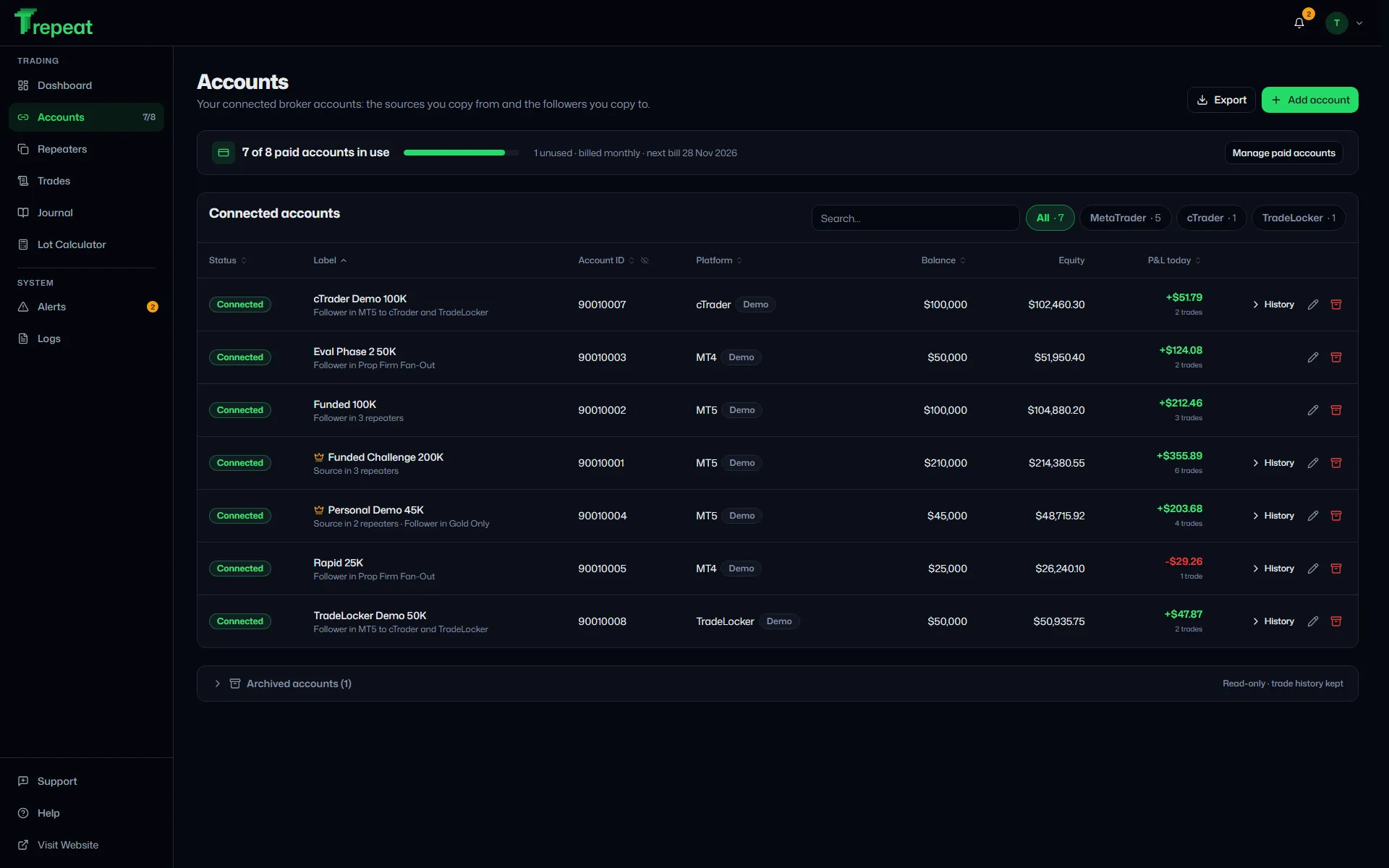
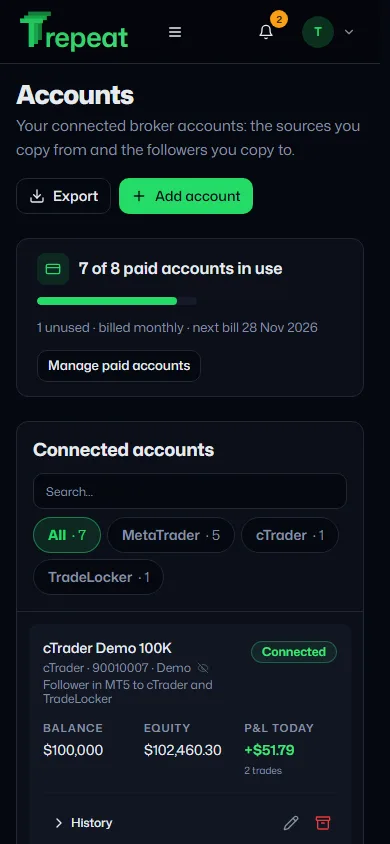
Accounts: The sources you copy from and the followers you copy to.
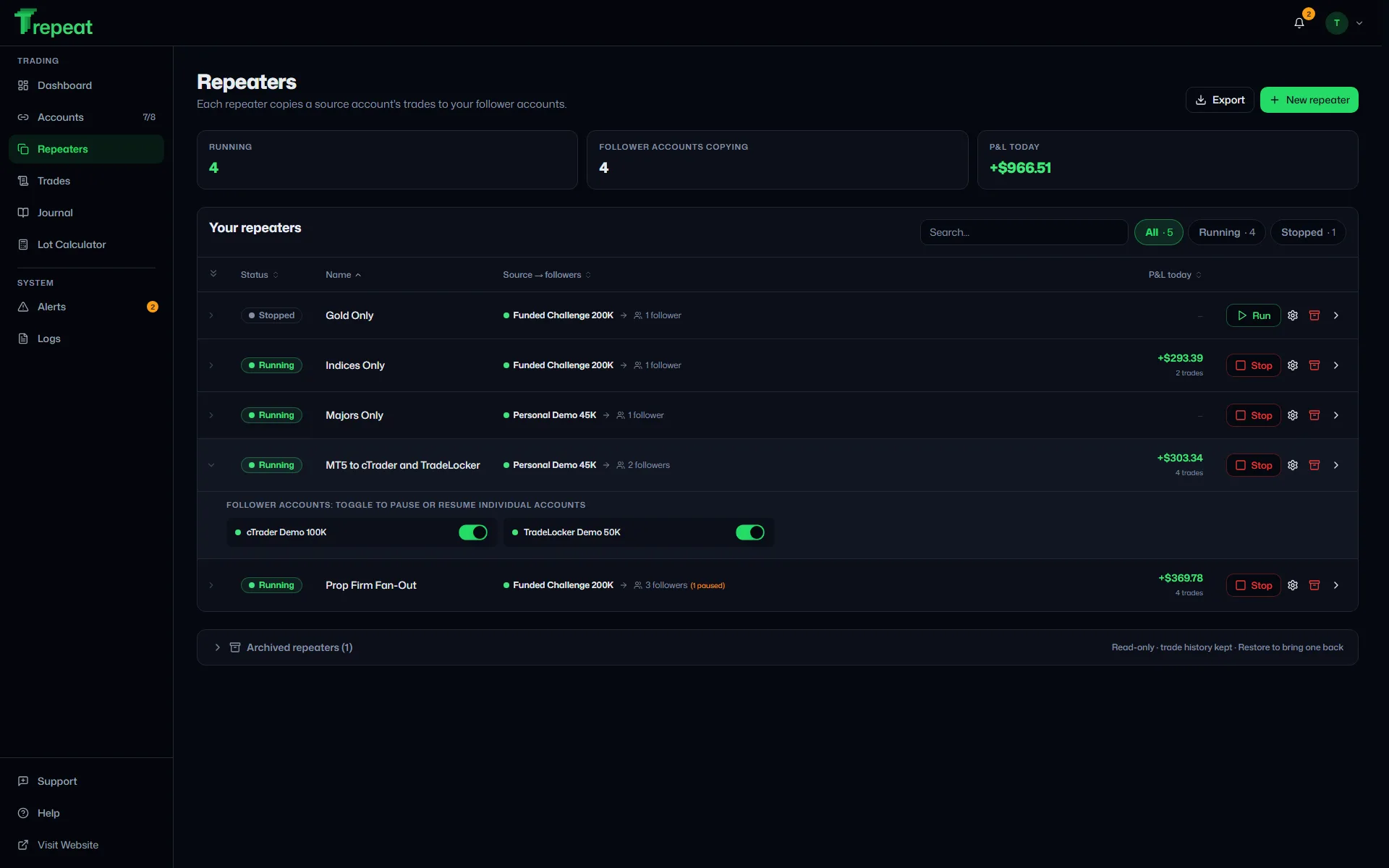
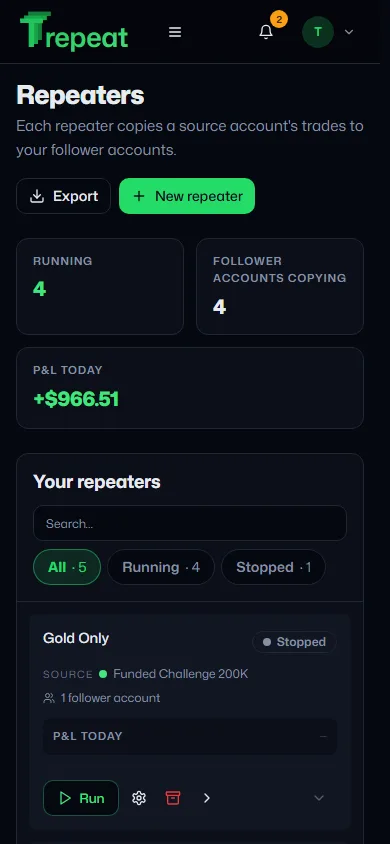
Repeaters: Sizing per repeater, symbol allowlists, and one-click Run / Stop.
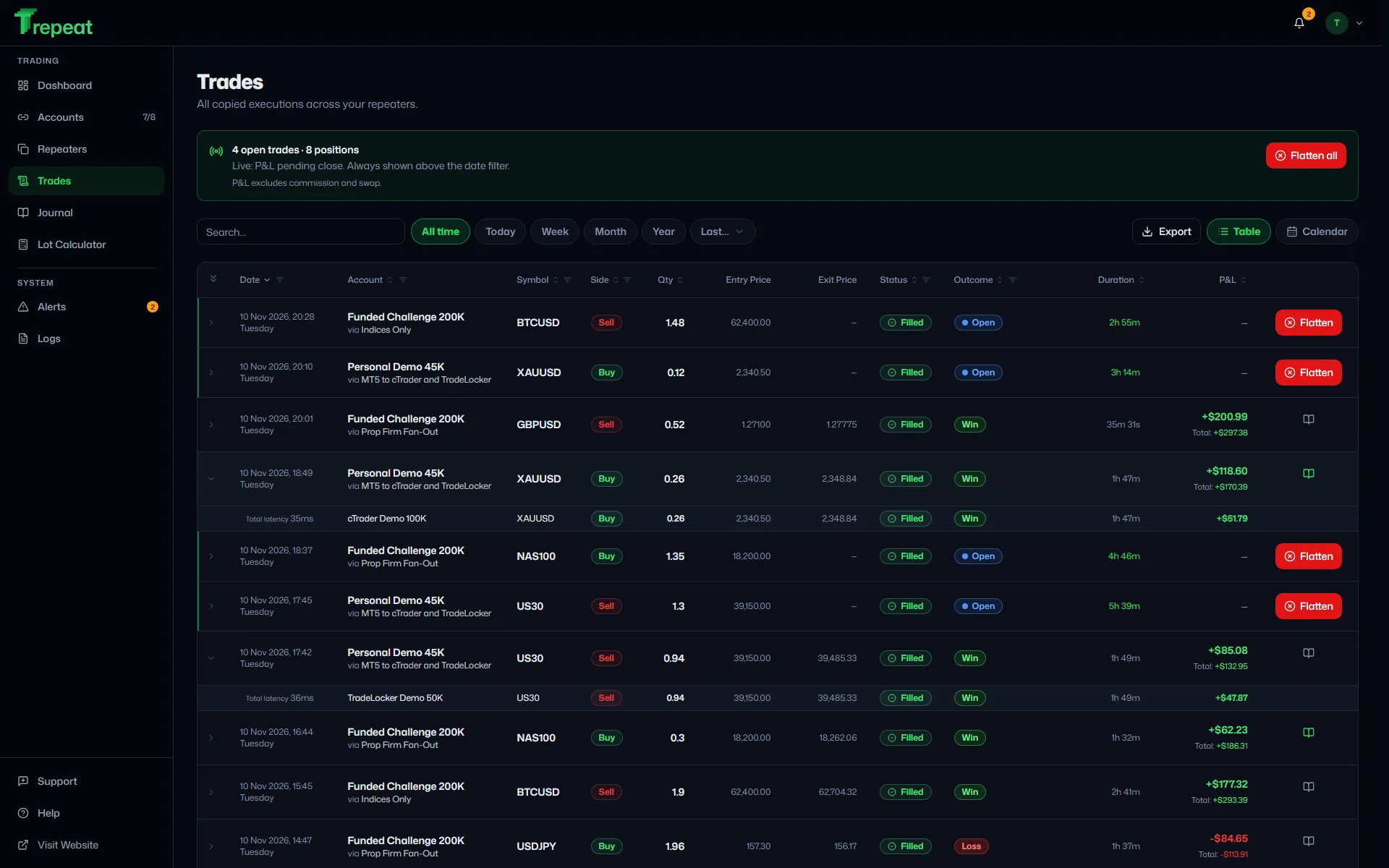
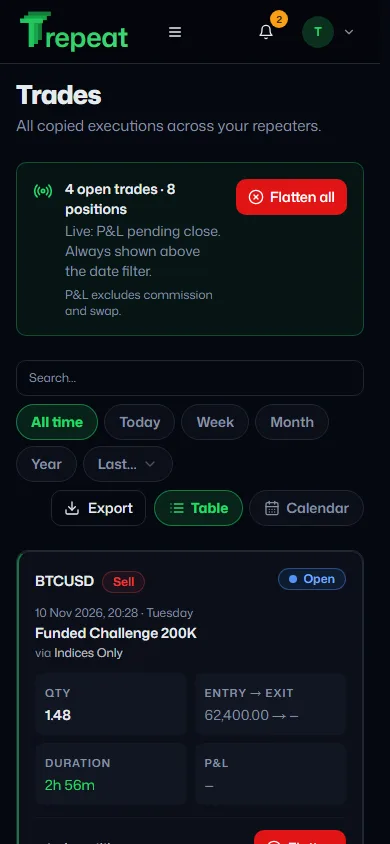
Trades: Every copied execution with latency, outcome, and live P&L.
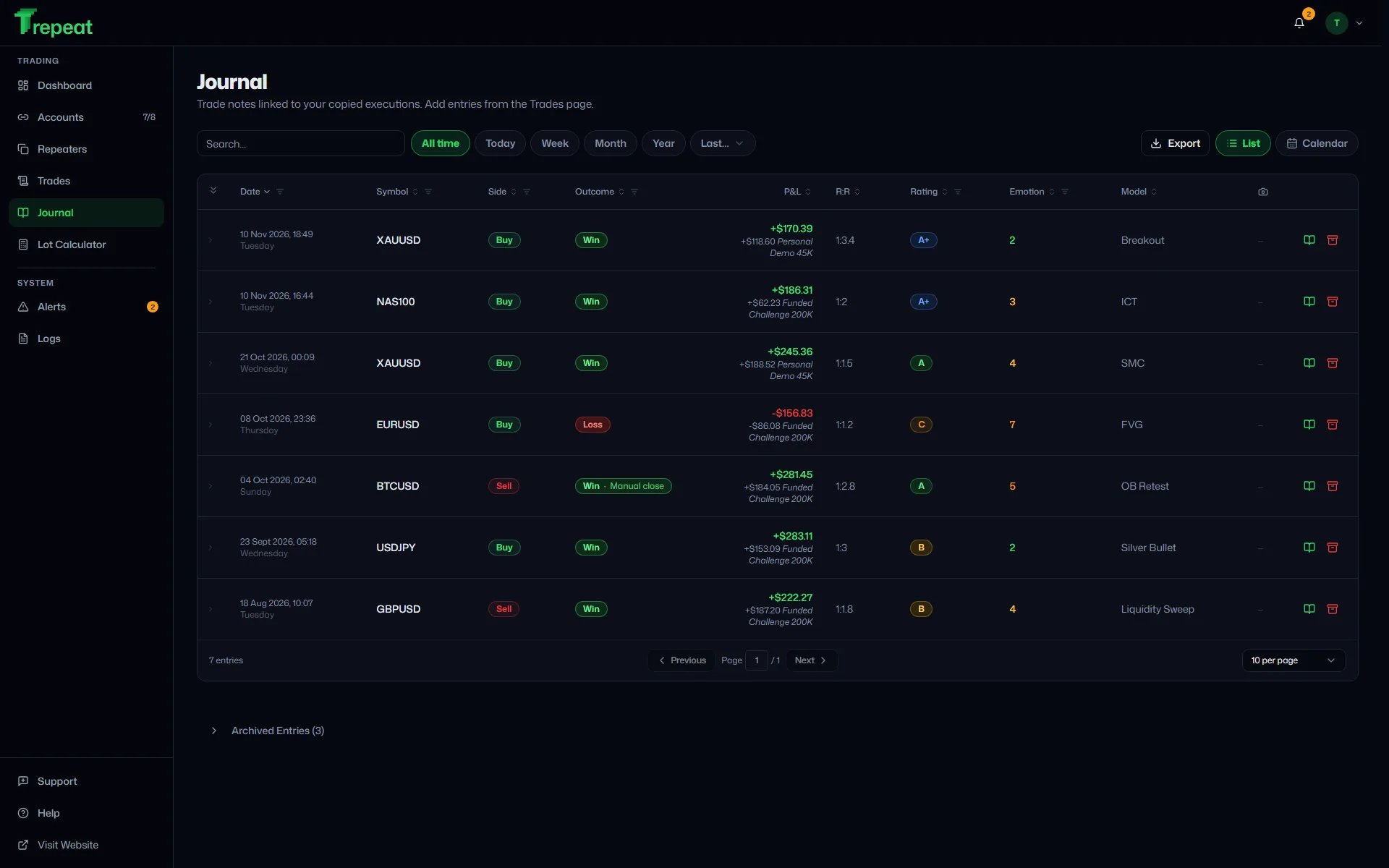
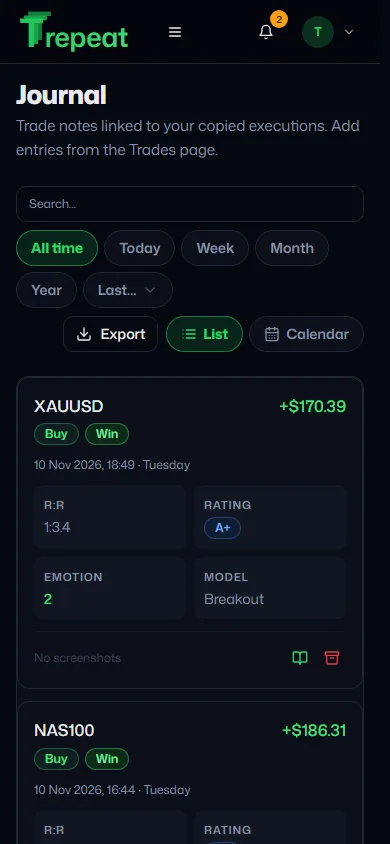
Journal: Tag your setups, rate execution, and review your edge.
How it works
Set the rules once. Each trade you place on the source is copied to your other accounts, sized by those rules. More on multi-account copying →
- Connect your accountsBroker login or cTrader ID
- Set up a repeaterSource, followers, sizing. Press Run
- Trade from anywhereDesk or phone
Any platform to any platform. Mix MT4, MT5, cTrader and TradeLocker followers under one source.
Sized and matched per account. Lots follow each account's equity or your multiplier; broker symbol names are remapped once.
Maximum lot per order. One cap per repeater: no single copy is bigger than you allow.
Alerts that reach you. In-app for every event; email when copying stops, a copy fails, or a position needs you.
Live P&L and journal. Every account's results in one place, with notes on each setup.
Closes checked. A follower that misses a close while offline raises an alert on reconnect. Flatten closes the source trade and every copy of it. Trades Trepeat isn't copying are never touched.
What each number means
Any platform to any platform. Mix MT4, MT5, cTrader and TradeLocker followers under one source.
Sized and matched per account. Lots follow each account's equity or your multiplier; broker symbol names are remapped once.
Maximum lot per order. One cap per repeater: no single copy is bigger than you allow.
Alerts that reach you. In-app for every event; email when copying stops, a copy fails, or a position needs you.
Live P&L and journal. Every account's results in one place, with notes on each setup.
Closes checked. A follower that misses a close while offline raises an alert on reconnect. Flatten closes the source trade and every copy of it. Trades Trepeat isn't copying are never touched.
Fast, always on, out of your way.
The engine runs around the clock in the cloud, so your PC can be off and your phone is all you need.
0-5 ms
Typical engine latency
Trepeat's own time per copy, from the source fill arriving to the follower order going out, with a median under 1 ms. Each follower's broker adds its own round trip on top, so the copy time on your Trades page is longer.
24/7
Always-on engine
Runs on AWS, not your computer. No VPS to rent, no EA to install.
30 s
Uptime probes
The site and app are checked every 30 seconds from several AWS regions, and the engine is watched by alarms around the clock.
Broker passwords encrypted
Kept in an encrypted vault and never sent to your browser. cTrader connects through its official sign-in, so Trepeat never sees that password at all.
Only copied trades are touched
Flatten closes the source trade and every copy of it. Trades Trepeat isn't copying are never touched.
Infrastructure we use


Recently shipped · Changelog →
- 4.4.4 · 24 Nov: No paying for MetaTrader while it cannot connect
- 4.4.3 · 23 Nov: Clear notices, and no wasted connection, when a platform is down
- 4.4.2 · 23 Nov: A clearer demo-only message, and a Lot Type Converter
Pricing
Everything included.
Pay per account, for the number you choose.
One price per account, the same on MT4, MT5, cTrader and TradeLocker. Your source and each follower count as one account each. No plans, no add-ons, no feature tiers. How pricing and the trial work →
- Unlimited repeaters
- MT4, MT5, cTrader, TradeLocker, any direction
- Lot sizing per repeater
- Maximum lot per order
- Symbol remapping
- Symbol allowlist
- Missed-close checks
- Flatten all copied trades
- Email and in-app alerts
- Live P&L and dashboard
- Trade journal
- Excel export
- Two-factor sign-in
- Phone and desktop
- No VPS, no EA
- Billed per account, add or remove any time
- Support tickets
- Unlimited repeaters
- MT4, MT5, cTrader, TradeLocker, any direction
- Lot sizing per repeater
- Maximum lot per order
- Symbol remapping
+ 12 more, all included
- Symbol allowlist
- Missed-close checks
- Flatten all copied trades
- Email and in-app alerts
- Live P&L and dashboard
- Trade journal
- Excel export
- Two-factor sign-in
- Phone and desktop
- No VPS, no EA
- Billed per account, add or remove any time
- Support tickets
Accounts
Minimum 2: a source and a follower
$30per month
$15 per account per month
Tax included
MetaTrader: 1 new connection per paid account in any 30 days, extra ones $3 each. Each new connection has a one-off setup cost on our side.


Free trial on cTrader and TradeLocker · 1 week, up to 3 accounts, no card
Mix them as you like: copy a cTrader account to a TradeLocker one.
MT4 and MT5 connect as soon as you subscribe.
TradeLocker to MT4 Trade Copier: common questions
How soon does a TradeLocker trade reach MT4?
A TradeLocker source is pushed to Trepeat over a live stream, so a copy does not wait for a timer, and the delay is typically under a tenth of a second. Trepeat's engine latency is typically 0-5 ms, and the MT4 broker then sets its own execution time and price on top of both.
What if my MT4 broker lacks an instrument I trade on TradeLocker?
The MT4 broker refuses a symbol it doesn't list. Trepeat records a failed copy, names the follower and symbol, and suggests a name from the follower's list when one fits. A symbol allowlist keeps unwanted instruments out.
Can one TradeLocker source feed several MT4 accounts?
Yes. Add each MT4 account as a follower of the same repeater, each sized by the repeater's rule applied to its own account.
All questions The rest (pricing, the trial, copying and safety) are in the Help Centre. Still stuck? Email support@trepeat.com.
Trade once. Repeat everywhere.
Free trial on cTrader and TradeLocker · 1 week · up to 3 accounts · no card
The week starts when your first account connects.
MT4 and MT5 connect as soon as you subscribe.
Related copiers
- Prop Firm Trade Copier
- MetaTrader Trade Copier
- MetaTrader 4 Trade Copier
- MetaTrader 5 Trade Copier
- Forex Trade Copier
- Account Copier
- Multi-Account Trade Copier
- cTrader Trade Copier
- Cloud Trade Copier, No VPS
- Hedging Trade Copier
- Scalping Trade Copier
- MT4 to MT5 Trade Copier
- MT4 to cTrader Trade Copier
- MT5 to cTrader Trade Copier
- cTrader to MT4 Trade Copier
- cTrader to MT5 Trade Copier
- cTrader to cTrader Trade Copier
- MT4 to MT4 Trade Copier
- MT5 to MT4 Trade Copier
- MT5 to MT5 Trade Copier
- TradeLocker Trade Copier
- MT4 to TradeLocker Trade Copier
- MT5 to TradeLocker Trade Copier
- TradeLocker to MT5 Trade Copier
- cTrader to TradeLocker Trade Copier
- TradeLocker to cTrader Trade Copier
- TradeLocker to TradeLocker Trade Copier